Answering WhatsApp when you're too busy to check your phone
While you're with a customer, on the road or mid-shift, your WhatsApp doesn't stop. How the ChatME assistant replies instantly, and exactly what happens when you answer yourself.
ChatME··4 min read
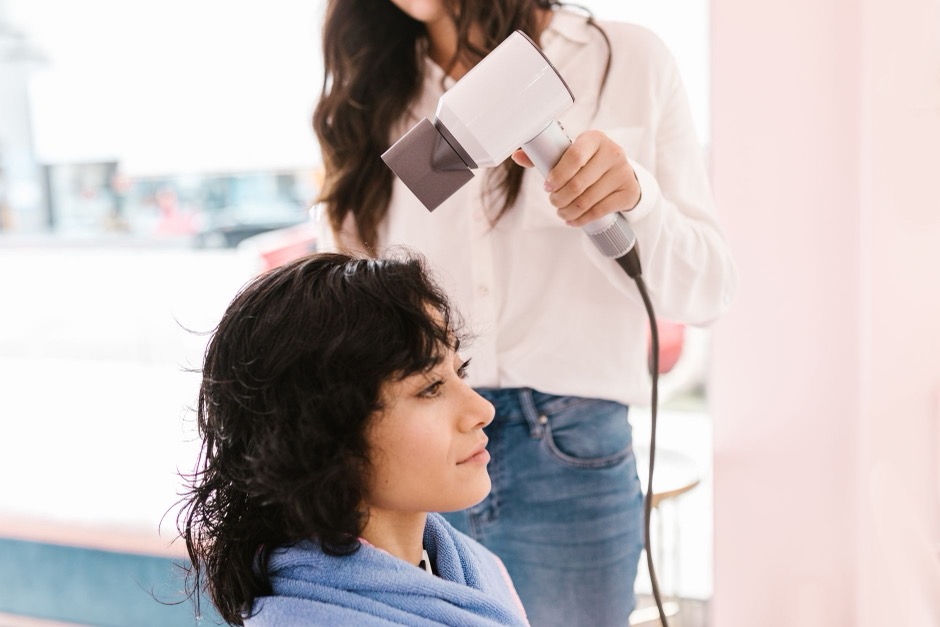
Your hands are full — literally or not — and the phone keeps buzzing in your pocket. One customer is asking if there's a slot free today, another wants the price, a third one sends their location and asks how long you'll be. You're mid-task: scissors in hand, a patient on the table, driving to the next job, halfway through a ward shift. By the time you finally check the phone, three hours have gone by and that first customer has already booked somewhere else.
It isn't that you don't want to reply. It's that you can't, and your business WhatsApp doesn't know the difference between 10am and your busiest hour.
Something else answers while you can't
The idea isn't having someone glued to the phone all day — you already know that isn't realistic for a small business. The idea is that, while you're busy, something answers on your behalf with your business's real information: hours, prices, availability, whatever that person needs to decide. Instantly, without them noticing they "waited".
With the ChatME assistant connected to your WhatsApp Business number, that's exactly what happens: when someone messages you and you can't look at the phone, the assistant replies within seconds, in that same conversation, using the same knowledge base it already uses on your website. Nobody needs to know you were tied up.
And when you do reply, the assistant steps aside
Here's the detail that actually matters, because it's the first question that always comes up when we explain this: *"what if the bot and I both answer the same customer at once?"*
That doesn't happen. The moment you reply to someone from your own phone — by hand, as you normally would — the assistant steps back for around 30 minutes in that specific conversation. Not in every chat: only the one where you just wrote. Meanwhile, it keeps answering every other customer messaging you as normal. If that time passes without you writing again, it picks the conversation back up if needed.
This is deliberate product behaviour, not a side effect: the assistant recognises you're already in the thread and gives you the floor, so the customer never gets two different replies at once.
Your number stays your number
This only works if your business number is the one already in your pocket, and that's exactly what ChatME's "Keep your phone" option is for: your number doesn't move off your handset, you keep opening the WhatsApp Business app as always, with your history intact. The only change is that now, besides you, something else can answer when you can't get to it.
You connect it yourself from your dashboard, in a few minutes: choose that option, confirm with a code WhatsApp sends by SMS, and you're done. The full guide is in how to connect your WhatsApp Business, with the four prerequisites explained in detail.
What it doesn't do (and it's worth saying)
The assistant doesn't replace a person on a live phone call, and it doesn't hand the conversation to a human mid-chat in real time. When something falls outside what it knows how to answer — or the customer specifically asks to speak to you — it says so, points them to your contact details, and the conversation stays logged in your dashboard, under Conversations, for you to pick up when you can. If you also want their details by email, set up a contact form in your dashboard with the keywords your customers tend to use (say, "speak to someone" or "quote"): when they come up in the chat, the assistant asks for the details you choose and they reach you by email. That email carries the form's details; you read the conversation itself in the dashboard. There's no live handoff to a human inside the chat itself.
It also never writes first: it only replies to messages that reach you, within WhatsApp's service window. It doesn't send promotions or messages you haven't asked for.
And there's a maintenance detail worth knowing: if the phone holding your number goes about two weeks without being opened, WhatsApp cuts the connection. That isn't the assistant failing — it's a WhatsApp condition for any business connected this way.
What this costs
Nothing, for what the assistant does. Meta doesn't charge for messages your customers send you, nor for service conversations — replying to whoever writes in — which is exactly what your bot does. The only thing Meta bills is templates: messages the business initiates without the customer having written first, and your assistant never sends any on its own.
The WhatsApp channel is included, at no extra cost, on the Pro and E-commerce plans (see pricing). It isn't available on Free or Basic.
One assistant, more than one place
What answers on WhatsApp is the same assistant handling your website, trained once with your information. If customers also message you on Instagram, the same brain answers there too, on the Pro and E-commerce plans, with nothing to configure separately.
If you get stuck at any point connecting it, or would rather have us walk you through it the first time, email us at info@chatme.es.
*Availability may vary by country.*
START TODAY
Ten minutes. Try it free.
Try it on your real website. If you’re not convinced, cancel without writing a single email.